Banglarbhumi App 2026: Complete Guide to Checking West Bengal Land Records on Mobile
Full guide to the Banglarbhumi (Jomir Tothya) app — download links, registration, Khatian & Dag search, mutation status, RoR download, and dispute resolution for West Bengal land records.
What Is the Banglarbhumi App?
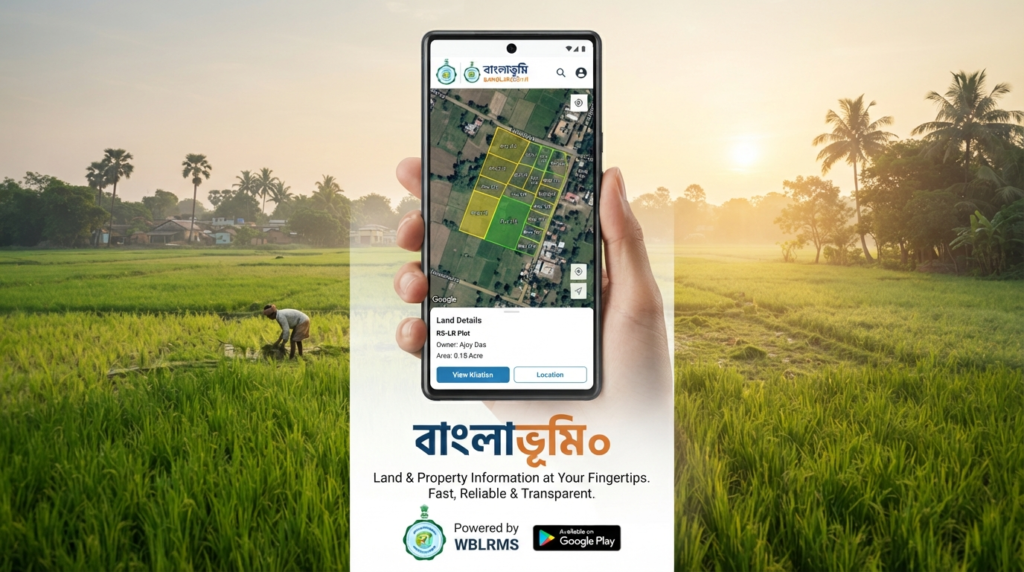
The Banglarbhumi app, also known as Jomir Tothya, is the official mobile application from the Department of Land Reforms, Government of West Bengal. It extends the banglarbhumi.gov.in web portal onto Android and iOS devices, giving landowners, buyers, lawyers, and real estate professionals direct access to the state’s digitized land record system.
The app draws data from the RS-LR (Revisional Settlement and Land Record) database and lets you look up records in English, Bengali, and Devanagari. Instead of visiting a Block Land & Land Reforms Office (BL&LRO), you can pull up ownership details, plot boundaries, and mutation status from your phone, 24×7.
Banglarbhumi App vs Banglarbhumi Web Portal: What’s the Difference?
Before diving into setup, it helps to know how the app relates to the website:
| Feature | Banglarbhumi Website | Banglarbhumi App |
| Access | Desktop/mobile browser | Native Android/iOS app |
| Offline record viewing | No | Yes (downloaded records) |
| Mutation application | Yes | Limited — often redirects to portal |
| Notifications | No | Push alerts on some versions |
| Best for | Detailed applications, e-registration | Quick lookups on the go |
Both connect to the same government database, so record accuracy is identical — the app simply optimizes the experience for mobile users.
Key Terms You Should Know Before Using the App
Understanding these terms makes every search faster and prevents costly mistakes:
- Khatian (RoR — Record of Rights): The legal document listing a plot’s owner(s), classification, and area.
- Dag Number / Plot Number: The unique identifier for a specific land parcel within a mouza.
- Mouza: The smallest revenue village unit under a district and block/tehsil.
- Block: An administrative subdivision of a district, used to narrow your mouza search.
- Mutation (Namjari): The process of updating land records after a sale, inheritance, or gift.
- BL&LRO: Block Land & Land Reforms Officer — the local authority overseeing land records.
- Patta: A land title document, especially relevant to Operation Barga beneficiaries and sharecroppers.
- GIS Mouza Map: A geospatial map view of plot boundaries within a mouza.
Keeping your district, block, mouza, and khatian/plot number ready before opening the app will save you several steps.
How to Download and Set Up the Banglarbhumi App
Step 1 — Download the App
Search “Banglarbhumi” or “Jomir Tothya” on the Google Play Store (Android) or App Store (iOS), or use the download link on the official banglarbhumi.gov.in portal. Confirm the publisher is listed as the West Bengal Department of Land Reforms or a verified government-linked developer before installing, since several look-alike apps exist.
Step 2 — Register Your Account
Open the app and choose “Register” or “Sign Up.” You’ll typically need a mobile number and, for certain services like mutation applications, additional KYC details.
Step 3 — Verify with OTP
An OTP is sent to your registered mobile number. Enter it to verify your identity and activate the account.
Step 4 — Set Up Your Profile
Add your name, preferred language (English, Bengali, or Devanagari), and — if relevant — the districts or plots you want to track for faster future access.
How to Search Land Records on the Banglarbhumi App
Step 1 — Go to the Search Section
From the home screen, tap “Know Your Property,” “Khatian Search,” or the equivalent search icon.
Step 2 — Select Your District, Block, and Mouza
Narrow down using the dropdown menus. Since West Bengal has thousands of mouzas, selecting the correct block first is essential for an accurate list.
Step 3 — Enter the Khatian or Plot (Dag) Number
Choose your search method — by Khatian number or by Plot/Dag number — and enter the value along with any CAPTCHA verification requested.
Step 4 — View the Record
The result displays owner name(s), classification of land, total area, plot boundaries, and — where available — a GIS mouza map.
Step 5 — Download or Save the Record
Save the record as a PDF, or use the app’s offline-storage feature to keep a copy accessible without an internet connection — useful for site visits in low-network rural areas.
Why the Banglarbhumi App Is a Genuine Game-Changer
It Eliminates the Middleman
Direct access to government data removes the need for local agents or “facilitators” who traditionally charged fees for basic record lookups.
It’s Free to Use
Downloading and checking Khatian/plot records costs nothing; only certain certified copies or mutation-related services may involve official government fees.
It Works Offline Too
Once downloaded, records remain viewable without a live connection — a meaningful advantage in West Bengal’s less-connected rural districts.
It Reduces Land Fraud Risk
Because records pull directly from the RS-LR database rather than photocopies or informal documents, buyers can cross-check ownership before a transaction proceeds.
Using the App for Land Transactions
Before finalizing a purchase, gift, or inheritance transfer, use the app to:
- Confirm the seller’s name matches the current Khatian record.
- Check whether the land classification (agricultural, homestead, commercial) matches what’s being represented.
- Verify there’s no pending mutation or discrepancy that could delay registration.
- Cross-reference the plot’s Dag number against the sale deed to prevent boundary mismatches.
For the mutation itself (updating the record post-transaction), most users are directed to the full web portal for document upload and application tracking, with the app used mainly to confirm status once submitted.
How the App Helps in Land Disputes
Land disputes in West Bengal often stem from unclear boundaries, unauthorized transfers, or outdated records. The Banglarbhumi app helps by letting you:
- Verify legal ownership using the official record rather than relying on hearsay or old paperwork.
- Check khatian transfer history to confirm a plot changed hands correctly and through proper channels.
- Clarify plot boundaries using the GIS mouza map to resolve confusion with adjoining landowners.
Having a verified digital record on hand is also useful evidence if a dispute escalates to the BL&LRO office or a civil court.
Security Features: Is Your Data Safe?
The app connects to the government’s official land record database rather than a third-party server, and access to personal registration data requires OTP-based mobile verification. As with any government utility app, users should still:
- Download only from official app stores, not third-party APK sites.
- Avoid apps requesting excessive permissions unrelated to land record access.
- Never share OTPs with anyone claiming to “help” verify an account.
Advanced Features Worth Exploring
- GIS Mouza Maps for a visual layout of plots within a village.
- Mutation status tracking to follow an application after submission on the web portal.
- Multi-language support across English, Bengali, and Devanagari.
- Offline record storage for saved Khatians and plot details.
- Nil Utpanna / plot information checks for agricultural classification details.
Common Problems and How to Fix Them
| Problem | Likely Cause | Fix |
| Record not found | Wrong mouza/block selected | Re-verify administrative details on your deed or tax receipt |
| OTP not received | Network delay or wrong number registered | Retry after a few minutes; update mobile number if outdated |
| App crashes on search | Outdated app version | Update via Play Store/App Store |
| Record shows old owner | Mutation not yet processed | Check mutation status separately; it can take several weeks |
| CAPTCHA errors | Case-sensitive entry or refresh issue | Reload CAPTCHA and re-enter carefully |
Who Benefits Most from the Banglarbhumi App?
- Landowners verifying their own records remain accurate.
- Property buyers doing due diligence before purchase.
- Lawyers and legal professionals pulling records for case documentation.
- Real estate agents confirming listings match official ownership.
- Banks and financial institutions checking collateral property status for loans.
- Sharecroppers and patta holders confirming rights tied to Operation Barga-era land reforms.
FAQs
Is the Banglarbhumi app free to download and use?
Yes, downloading the app and checking standard Khatian or plot records is free. Certain certified copies or mutation services may carry official government fees.
Can I apply for mutation directly through the app?
Most mutation applications and document uploads happen through the full banglarbhumi.gov.in web portal; the app is primarily used for searching records and checking status.
Does the app work without internet access?
You can view previously downloaded or saved records offline, but a live connection is required for new searches.
What if my Khatian shows an old owner’s name after a sale?
This usually means the mutation process hasn’t been completed yet. Check the mutation status separately, as updates can take a few weeks to reflect.
Is the Banglarbhumi app available outside West Bengal?
The app itself can be downloaded anywhere, but it only contains land records for the state of West Bengal.
Final Thoughts
The Banglarbhumi app turns a process that once meant office visits, paperwork, and waiting in line into something you can do from your phone in a few minutes. Whether you’re confirming ownership before a purchase, resolving a boundary dispute, or simply keeping tabs on your own land, understanding the core terms — Khatian, Dag number, Mouza, RS-LR, and mutation — makes the app far easier to use effectively.